Categories
Time Capture

The Most Effective Time Punch System for “Just Pay” in Landscaping & Grounds Maintenance: Mobile, Weather-Resistant AI TimeClock That Syncs Seamlessly with Payroll Systems

In landscaping and lawn care, just pay keeps crews motivated and profitable: workers must be paid precisely for mowing time, trimming, clean-up, travel between jobs, and any weather-delay overtime—without shorted hours during long days or inflated totals from inaccurate tracking. Paper logs, foreman sign-offs, or basic apps frequently fail: missed punches in remote yards or parks with no signal, buddy punching among crew members, unclear job-site allocation, disputes over drive time, and payroll delays that frustrate workers during peak spring/fall seasons.

CloudApper AI TimeClock is the most effective, rugged-friendly time punch solution for landscaping companies running payroll systems. It combines biometric security, full offline support, and job-site intelligence to deliver verifiable, equitable time records—ensuring fair compensation, transparency, and operational efficiency.

Why Landscaping & Grounds Maintenance Needs a Superior Time Punch System for Just Pay

  • Job-Site & Travel Verification → Geofencing confirms the crew is at the correct property/yard; optional travel-time logging between jobs ensures fair mileage or drive pay per company policy or state rules.
  • Offline Durability in the Field → Punches work 100% offline (no Wi-Fi needed on golf courses, large estates, or rural properties); data auto-syncs securely when back in range or at the shop—no lost shifts due to poor coverage.
  • Task & Property Allocation → Workers select or scan job codes, client properties, or task types (mowing, edging, mulching, irrigation repair) during punches—supporting accurate client billing and labor cost tracking in payroll.
  • Weather & Overtime Handling → Automatically captures extended hours from rain delays or emergency calls; clean data flows to payroll systems for proper premium/overtime calculations without manual adjustments.
  • Crew Trust & Retention → Mobile self-service allows workers to view logged hours, upcoming jobs, request time off, or check pay details—reducing “I wasn’t paid for that job” complaints and helping retain seasonal/permanent staff.

Standout Features for Landscaping Teams on Payroll Systems

  • Touchless Face Recognition → Quick, hygienic facial logins (gloves-friendly, works in sunlight or dust)—perfect for field workers in hats, sunglasses, or PPE.
  • Multiple Rugged Options → Face ID + QR code/NFC/barcode for fast scans at truck dashboards, job-site signs, or shared crew tablets.
  • 24/7 AI Assistant → Instant field support (“How many hours did I log at the Smith residence today?” or “Am I eligible for travel pay?”)—minimizing calls to dispatch during busy mowing routes.
  • Seamless Payroll Integration → Direct sync with Payroll Systems (UKG, Oracle, Workday compatibility)—punches, travel time, job notes, and overtime upload automatically for fast, accurate payroll runs.
  • Extremely Cost-Effective → Turns standard tablets (iPad or rugged Android) into smart time clocks—at roughly 25% of traditional hardware clock costs (saving up to 75% on purchase, installation, and repairs)—ideal for seasonal scaling or fleet-wide rollout.

Landscaping companies using similar AI-driven time capture report fewer payroll corrections, reduced crew disputes, better job costing for bids, lower overtime surprises, higher worker satisfaction, and stronger client relationships—all built on consistently delivering just pay.

For the full original article on the most effective time punch system for just pay, see the source: The Most Effective Time Punch System for Employees With Just Pay

Ensure Fair, Accurate Pay and Simplify Field Operations in Landscaping

Equip your mowers, trimmers, irrigators, and crew leads with an intuitive, reliable way to record time that guarantees every hour is compensated correctly and integrates effortlessly with Payroll Systems.

Ready to eliminate punch gaps, cut disputes, and improve crew morale? Discover CloudApper AI TimeClock – the employee timeclock application built for mobile outdoor service teams and reach out to our experts for a landscaping-specific demo.

Let’s discuss your setup: property-specific geofencing, travel-time rules, seasonal crew onboarding, or Payroll Systems sync details!
Categories
Time Capture

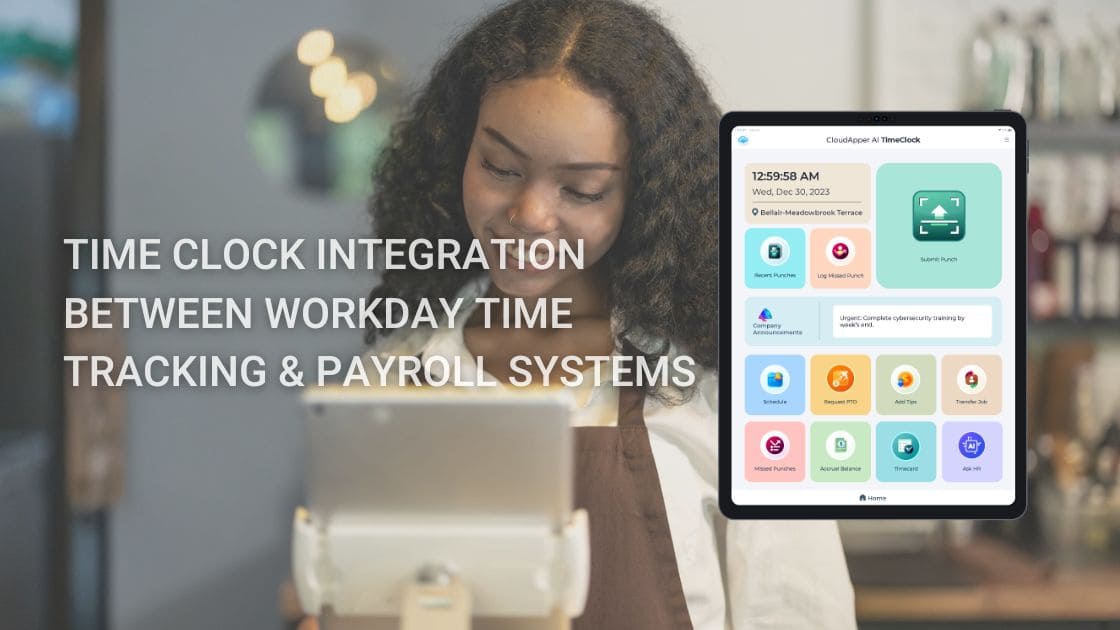
Enhancing Workday Time Tracking for Hospitality & Food Service Teams: Fast, Hygienic, AI-Driven Integration with CloudApper AI TimeClock

Hospitality and food service operations thrive on speed and flexibility—but manual timesheets or clunky clocks create bottlenecks: high staff turnover leads to training overhead on punch processes, busy rushes cause missed or inaccurate punches, shared devices raise hygiene concerns, variable shifts (split shifts, on-call, events) complicate scheduling and PTO, and delayed data syncs to Workday inflate overtime costs or trigger compliance issues with tip allocation and meal breaks.

CloudApper AI TimeClock offers a hospitality-optimized, seamless Workday time clock integration that prioritizes quick, touchless, and mobile-friendly capture—keeping frontline servers, cooks, bartenders, housekeepers, and event staff productive while feeding precise data into Workday Payroll, Time Tracking, and Absence modules.

Hospitality-Specific Challenges Addressed

  • Hygiene-Focused Touchless Punching → Biometric face recognition enables contactless check-ins/out—crucial for food handling and post-pandemic guest expectations in restaurants and hotels.
  • Offline Support for Busy or Remote Venues → Punches work without Wi-Fi (e.g., outdoor events, pop-up catering, or basement kitchens); data auto-syncs to Workday once online, preventing payroll gaps during peak seasons.
  • Shift Flexibility & Self-Service → Employees easily view schedules, bid on open shifts, request time off, swap with colleagues, or check tip/pay balances—reducing manager involvement during service rushes.
  • Compliance & Labor Cost Control → Automates break enforcement, overtime alerts, and tip-related attestations; accurate punches sync to Workday for fair tip credit application and audit-ready records.

Explore the complete feature set: CloudApper AI TimeClock for Workday

Standout Features for Restaurants, Hotels & Catering

  • Rapid Punch Methods → Face ID for instant, hands-free logins (gloves-friendly for kitchen staff); QR code/barcode/NFC options for quick badge or station-based clocks at host stands or back-of-house.
  • Geofencing for Multi-Location Accuracy → Restrict punches to venue perimeters (main restaurant, hotel floors, event halls), minimizing off-site fraud while supporting roaming banquet staff.
  • 24/7 AI Assistant → Instant answers to common queries (“When’s my next shift?” or “How do I request vacation?”), automates approvals, and cuts HR calls during high-volume periods.
  • Task & Tip Tracking Integration → Optional capture of roles (server vs. bartender) or events for better labor allocation and tip pooling insights flowing into Workday.
  • Affordable & Scalable Setup → Uses existing iPads/Android tablets as smart clocks—at roughly 25% of traditional hardware costs (saving up to 75%)—ideal for scaling across chains, seasonal pop-ups, or new openings.

Hospitality teams using similar integrations report faster payroll cycles, reduced overtime from better shift visibility, and happier staff thanks to self-service—directly improving guest service quality.

For the broader foundation on Workday time clock integration, refer to the original source: Time Clock Integration Between Workday Time Tracking & Payroll Systems

Level Up Your Hospitality Workforce Management

Equip your servers, kitchen crew, and hotel staff with intuitive, secure time capture that integrates seamlessly with Workday—driving payroll accuracy, controlling labor costs, and letting managers focus on guest experience over paperwork.

Ready to streamline shifts and eliminate punch hassles? Discover CloudApper AI TimeClock for Workday today and contact our experts for a hospitality-tailored demo—whether for a single restaurant or multi-property chain.

Let’s discuss your setup: peak-season scaling, tip compliance, or multi-venue geofencing!

Categories
Talent Acquisition

Supercharge Your Workday Recruiting: How AI Transforms Candidate Sourcing and Shortlisting

Recruiters today are expected to deliver top-tier talent faster than ever—while maintaining fairness, compliance, and cost control. Workday Talent Acquisition and Recruiting Software provides enterprise-grade applicant tracking and workflow automation. When you layer artificial intelligence on top, sourcing shifts from a reactive, labor-intensive process to a proactive, highly accurate one that consistently uncovers better-fit candidates with far less effort.

Common Pain Points in Workday Sourcing—and AI’s Direct Solutions

Many teams still face these hurdles despite using a modern ATS:

  • Keyword-based searches return incomplete or irrelevant results
  • Manually reviewing long lists of resumes drains valuable time
  • Initial candidate outreach is slow, impersonal, and low-response
  • Early-stage decisions can unintentionally introduce bias

AI recruiting tools resolve each of these issues natively within Workday—no new platforms, no duplicate data entry, no broken workflows.

Key Ways AI Elevates Sourcing in Workday Talent Acquisition

  • Contextual Understanding & Semantic Matching AI reads between the lines: it recognizes related skills, synonyms, and role equivalencies. A resume mentioning “ETL pipelines with Snowflake” gets surfaced for a “data engineering – cloud warehouse” position without requiring perfect keyword overlap.
  • Smart Ranking & Auto-Prioritization Candidates receive real-time fit scores based on customizable criteria (skills depth, experience recency, location preferences, etc.). The strongest matches appear at the top of every search or requisition view.
  • Instant, Human-Like Candidate Conversations AI-powered chat handles screening questions, shares job insights, collects availability, and books interviews around the clock. Candidates receive prompt, personalized responses that keep them engaged and reduce drop-off.
  • Objective Screening to Support Diversity Goals Consistent, criteria-based evaluation minimizes subjective influence. Optional anonymization of names, photos, and educational institutions during initial review helps promote equitable shortlisting.
  • Performance Analytics for Continuous Refinement See which sourcing tactics, AI prompts, or channels produce the highest-quality hires and fastest fills. Use these insights to iteratively improve recruitment effectiveness.

Because the AI operates directly on Workday data via secure APIs, every update—screening decisions, messages sent, status changes—reflects instantly in your ATS for complete visibility and audit readiness.

Results Teams Commonly Achieve

  • 60–80% less time spent on initial resume screening
  • Shorter overall time-to-fill, especially for high-volume and niche roles
  • Stronger candidate engagement and higher response rates
  • Improved diversity representation in interview pipelines
  • More confident hiring decisions backed by objective data

Easy Steps to Activate AI Sourcing in Workday

  1. Choose a proven, Workday-integrated AI recruiting platform with strong security and compliance features.
  2. Connect via APIs to enable bidirectional data sync (candidate profiles, statuses, notes).
  3. Set up screening parameters, engagement voice, and automation flows aligned with your process.
  4. Test on a small set of open roles to measure impact quickly.
  5. Scale organization-wide with recruiter training and success monitoring.

Vendors with enterprise focus typically provide hands-on onboarding, configuration guidance, and ongoing optimization support.

The Bigger Picture

AI doesn’t eliminate the recruiter’s expertise—it multiplies it. By handling repetitive sourcing and screening tasks, it frees talent teams to focus on strategic work: assessing culture fit, advising hiring managers, negotiating offers, and building long-term talent relationships. The end result is a recruitment engine that’s faster, fairer, and far more effective.

For a deeper look at the mechanics, features, and implementation details, read the comprehensive guide on sourcing candidates from Workday using AI.

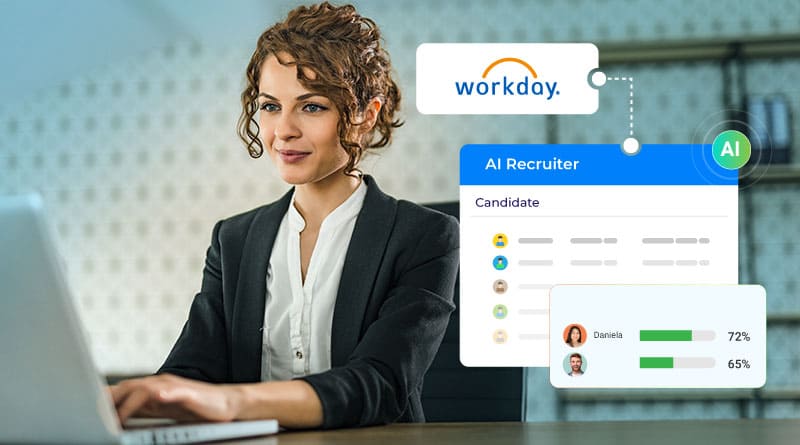
Ready to bring intelligent, always-on candidate conversations into your Workday Talent Acquisition workflow? Explore the CloudApper AI Recruiter conversational chatbot and discover the impact it can have on your hiring speed and quality.

Categories
Enterprise AI

The Rise of AI Chatbots in Healthcare: Enhancing Patient Access, Adherence, and Overall Care Quality

Have you ever wondered how AI chatbots are making healthcare more accessible and effective by providing instant support, improving treatment adherence, and helping patients stay on top of their health plans?

In modern healthcare, patients increasingly demand convenient, on-demand access to information and services without long waits or rigid schedules. AI-powered chatbots meet this need by acting as always-available virtual assistants. They manage essential tasks such as answering common questions about symptoms, medications, or procedures; scheduling and rescheduling appointments; sending personalized reminders; verifying insurance details; explaining billing; and even collecting feedback after visits—all in natural, conversational language.

This round-the-clock accessibility significantly boosts patient access to care. No more being put on hold during business hours or waiting days for email replies. Patients get immediate, accurate responses tailored to their needs, often in multiple languages, which is especially valuable for underserved populations or those with mobility challenges. The convenience leads to more proactive health management, as patients feel empowered to seek guidance anytime, fostering a stronger connection with their providers.

A major advantage is improved adherence to care plans and treatment regimens. Chatbots deliver timely reminders for medications, follow-up tests, lifestyle changes, or upcoming appointments, helping patients stick to recommendations. Real-world examples show adherence rates climbing substantially—some implementations report figures as high as 97% for enrolled patients in structured care programs. By reducing forgetfulness and providing gentle, consistent nudges, chatbots support better chronic disease management, preventive care, and recovery processes, ultimately contributing to improved health outcomes and fewer complications.

These tools also play a key role in elevating overall care quality. By handling routine inquiries, chatbots free up clinical and administrative staff to focus on more complex, hands-on interactions where human expertise and empathy are essential. This not only enhances the patient experience through faster resolutions but also supports higher-quality consultations and personalized attention. Patients often report feeling more valued and heard, leading to increased satisfaction, trust, and loyalty to their healthcare providers.

The healthcare chatbots market continues to expand rapidly, with recent estimates placing the global size in the range of USD 300 million to over USD 1 billion (depending on scope and methodology), and projections indicating strong growth at CAGRs frequently between 20% and 24% in the coming years. This momentum stems from ongoing advancements in natural language processing, greater emphasis on digital health solutions, and the proven value in streamlining operations while prioritizing patient-centered care.

Getting started with an AI chatbot is simpler than ever using no-code platforms. The core steps include:

  1. Defining priorities — Target high-need areas such as symptom guidance, appointment handling, or post-visit support.
  2. Customizing with compliance — Fine-tune the AI for medical relevance and integrate robust HIPAA-compliant security measures.
  3. Incorporating knowledge — Feed in your facility’s specific information, guidelines, and resources for contextually accurate replies.
  4. Building engaging dialogues — Create user-friendly, empathetic conversation paths deployable across websites, apps, SMS, and social channels.
  5. Launching and connecting — Roll out quickly and link to existing systems like electronic health records for seamless functionality.

CloudApper Conversational AI Chatbot offers a ready-to-use, healthcare-optimized platform with collaborative specialized agents:

  • Patient Registration Agent — Guides smooth, conversational onboarding.
  • Appointment Management Agent — Facilitates effortless 24/7 scheduling, modifications, and reminders.
  • Billing Agent — Clarifies charges and payments promptly.
  • Insurance Verification Agent — Provides fast coverage information.
  • Patient Service Feedback Agent — Gathers actionable insights post-interaction.
  • Compliance Agent — Upholds essential regulatory standards.

With multi-channel support, high reliability, and personalized interactions, CloudApper helps improve access, boost adherence, enhance satisfaction, and deliver higher-quality care without overwhelming staff.

Ready to make healthcare more patient-friendly and efficient through intelligent automation?

For practical steps on implementation: How to Build an AI Chatbot for Healthcare Patient Engagement

See how CloudApper Conversational AI Chatbot drives better patient access, adherence, and care quality: Improve Patient Experience & Reduce Health Worker Burnout with Conversational AI

Categories
AI in HR

The 60% Time-Saver HR Teams Didn’t Know They Needed: AI’s Administrative Revolution in Training

AI in Training and Development in HR is quietly delivering one of its most tangible, bottom-line impacts: slashing the administrative burden of training coordination by an astonishing 60%, while simultaneously lifting employee satisfaction with learning programs by 40%.

Behind the scenes of flashy personalized recommendations lies a massive efficiency engine. AI now automates the entire lifecycle of training logistics—automatic enrollment based on role changes, real-time compliance deadline monitoring, progress tracking without spreadsheets, instant gap-based nudges, and seamless reporting for leadership. What used to consume hours of manual chasing, reminder emails, and data entry is now handled invisibly in the background.

A mid-sized IT firm saw this transformation in action after rolling out CloudApper hrGPT. The platform took over routine training administration, ensured 100% compliance without constant oversight, delivered hyper-relevant content suggestions, and closed skill gaps proactively. HR professionals suddenly had 60% more bandwidth for strategic work—mentoring high-potentials, designing succession plans, and building company culture—while employees reported a 40% jump in how satisfied they felt with their development opportunities.

This isn’t just about saving time; it’s about reallocating human energy from paperwork to people, creating a virtuous cycle of higher engagement, better retention, and faster organizational agility.

To dive into all the ways AI is reshaping training—from personalization and compliance to skill acceleration and admin relief—check out the full article: How Is AI Used in Training and Development in HR.

Want to reclaim those 60% of hours and give your team the training experience they actually love? See how CloudApper hrGPT makes it happen—download the brochure right here and discover the AI agent built specifically for modern HR transformation.

Categories
Time Capture

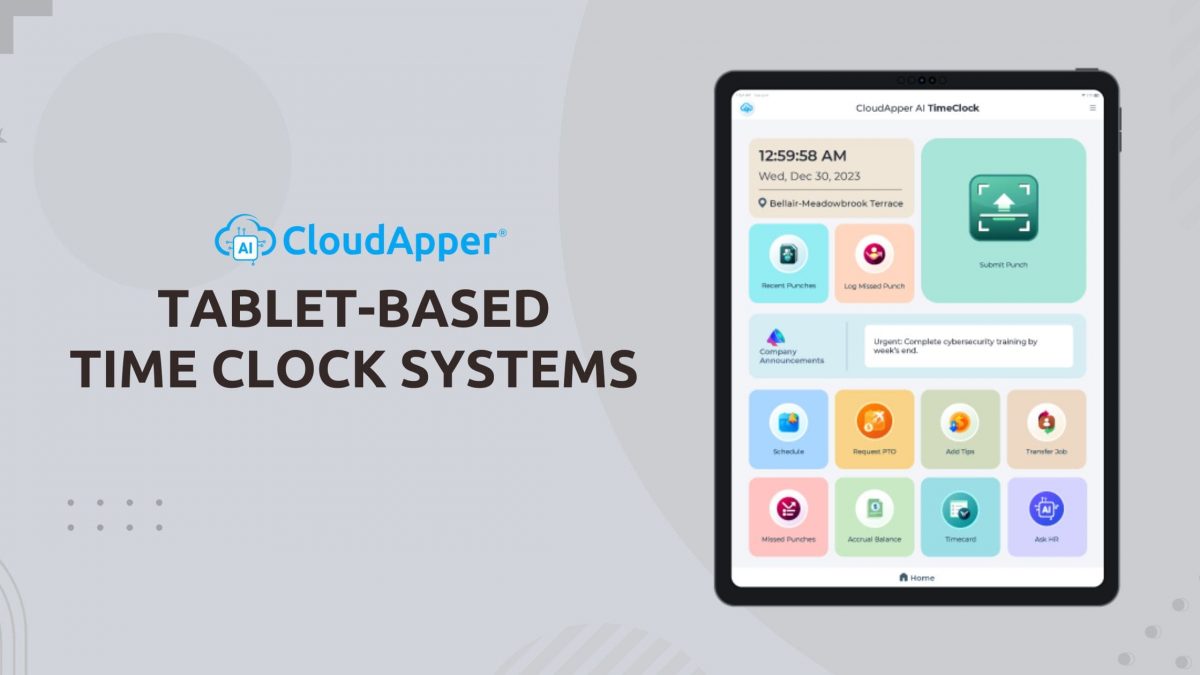
Why Tablet-Based Time Clocks Are the Smarter, More Flexible Choice for Modern Workforce Time Tracking

Traditional time clocks — fixed wall-mounted terminals, proprietary kiosks, or paper-based sign-in sheets — are increasingly out of step with today’s workforce realities: hybrid teams, remote workers, high-turnover frontline staff, and the need for fast, hygienic, and mobile-friendly time tracking.

Tablet-based time clock systems offer a far more practical, cost-effective, and employee-centric solution — using standard iPads or Android tablets that most organizations already own or can acquire at low cost.

Key reasons tablet time clocks are gaining momentum:

  • Significant cost savings — Tablets cost 70–80% less than proprietary time clock kiosks, with no ongoing maintenance contracts or specialized installation fees.
  • Touchless & hygienic operation — Face ID or fingerprint options eliminate shared keypads/buttons — a critical advantage in healthcare, food service, manufacturing, and high-traffic environments.
  • Total deployment flexibility — Place tablets at entrances, break rooms, production lines, or even mobile carts — no fixed location required. Employees can also use their own phones when needed.
  • Employee self-service convenience — Staff clock in/out, view schedules, request time off, swap shifts, check accruals, and access pay information — all from one device, reducing HR support calls.
  • Offline reliability — Punches are captured locally and automatically sync when internet returns — perfect for warehouses, construction sites, field service, or areas with unreliable connectivity.
  • Strong anti-fraud protectionBiometric verification (Face ID >99.5% accurate) + geofencing prevents buddy punching and time theft — protecting payroll integrity.
  • Seamless integration — Real-time sync with major HR/payroll platforms (Workday, UKG Ready/Dimensions, Ceridian Dayforce, ADP, Paychex, etc.) — no manual exports, no double-entry errors.

At M2SYS, we’ve long championed biometric and mobile-first solutions that make workforce management simpler, more secure, and more accurate — and tablet-based time clocks align perfectly with that vision.

CloudApper AI TimeClock takes this approach to the next level — transforming any compatible tablet into a full-featured, touchless time clock and employee self-service hub — without the high cost or limitations of legacy systems.

Ready to upgrade from rigid, expensive time clocks to a flexible, tablet-powered solution that employees actually prefer?

Discover CloudApper AI TimeClock — the leading tablet clock-in system for secure, touchless time tracking and workforce management: CloudApper AI TimeClock – Employee Timeclock Application

Want the full feature list, cost comparison, integration options, and why tablet-based systems are becoming the new standard for modern time tracking? Read the original CloudApper article: Tablet-Based Time Clock Systems for Employees: Streamlining Workforce Management

Categories
Time Capture

Biometric Time Clock Integration with Workday: Perfect for Hybrid, Remote, and Deskless Teams

The modern workforce is more distributed than ever — hybrid office/remote setups, field technicians, shift-based frontline staff, and deskless employees across multiple locations. Traditional time clocks (fixed kiosks, shared fingerprint scanners, wall-mounted terminals) simply don’t scale or adapt to this reality. They’re costly, location-bound, hygiene-challenged, and often disconnected from core HR systems like Workday.

Workday biometric time clock integration done right solves all of these pain points.

CloudApper AI TimeClock turns everyday tablets, iPads, or even employee smartphones into secure, touchless biometric time clocks that integrate natively with Workday Time Tracking — giving distributed teams the flexibility they need without sacrificing accuracy, security, or compliance.

Why this approach works so well for hybrid/remote/deskless teams:

  • Touchless Face ID anywhere — 99.5%+ accurate biometric verification that works with masks, glasses, PPE, poor lighting, or varying conditions — no shared surfaces, no hygiene risks
  • True mobility — Deploy on tablets at fixed sites, let field workers use their phones, or place devices in break rooms/entrances — no fixed kiosk required
  • Offline-first reliability — Punches are captured locally during connectivity gaps and automatically sync to Workday when back online — critical for remote sites, vehicles, or areas with spotty Wi-Fi
  • Real-time Workday sync — Every punch, job transfer, labor level, shift differential, and accrual update flows bidirectionally via certified APIs — no manual exports, no double-entry
  • Employee self-service built in — Workers view schedules, request PTO, check accruals, and access pay info right from the same device — reducing HR support tickets
  • Strong anti-fraud protection — Biometric liveness detection + optional GPS geofencing stops buddy punching and location spoofing
  • Security & compliance — Encrypted connections, no stored biometric images, role-based access synced with Workday, SOC 2/GDPR/CCPA/HIPAA-ready

CloudApper eliminates the need for expensive proprietary hardware — use standard tablets (often already in your environment) and save 60–80% on upfront and ongoing costs.

Whether you manage nurses in multiple clinics, technicians in the field, retail associates across stores, or hybrid office staff, this integration gives every worker a secure, convenient way to clock in/out while keeping Workday data accurate and up-to-date.

Ready to give your distributed workforce a modern, flexible biometric time clock that actually works with Workday?

Try CloudApper AI TimeClock for Workday — touchless, mobile-first integration built for hybrid, remote, and deskless teams: CloudApper AI TimeClock for Workday

Want the full integration architecture, setup guide, security specs, and proof of how it eliminates buddy punching while supporting remote/hybrid work? Read the original CloudApper article: Integrating Biometric Time Clocks with Workday

Categories
Time Capture

Best Touchless Biometric Time Clock Alternatives for Workday: Affordable Setup Guide & Top Features

Workday time clock solutions are evolving fast—businesses are ditching expensive, hardware-heavy terminals for touchless biometric alternatives that prioritize hygiene, anti-fraud security, scalability, and serious cost savings. With rising focus on accurate payroll, compliance, and remote/hybrid teams, traditional options fall short on flexibility and price.

CloudApper AI TimeClock emerges as a standout affordable biometric time clock for Workday — a modern, tablet-based system using secure facial recognition to deliver seamless, native integration with Workday Time Tracking & Payroll.

Here’s why it’s ranking high among the top Workday time clock alternatives:

  • Touchless & biometric security — AI-powered facial recognition prevents buddy punching and supports contact-free clock-ins/outs for healthier workplaces
  • Massive cost reductions — Save up to 75% by using any iOS/Android tablet instead of costly proprietary hardware
  • Anti-fraud & compliance boosters — Geofencing for location proof, offline punching with auto-sync, job transfers, anomaly detection, and audit-ready data feeds
  • Employee self-service perks — On-device access to schedules, PTO requests, accruals, paystubs — reducing HR admin and boosting engagement
  • Quick, scalable rollout — Easy Workday setup for global teams in manufacturing, healthcare, retail, hospitality, and field services — often live in days, not weeks

As searches for best Workday-integrated time clocks and touchless alternatives surge, solutions like this offer enterprise features at SMB-friendly prices—without the complexity of legacy systems.

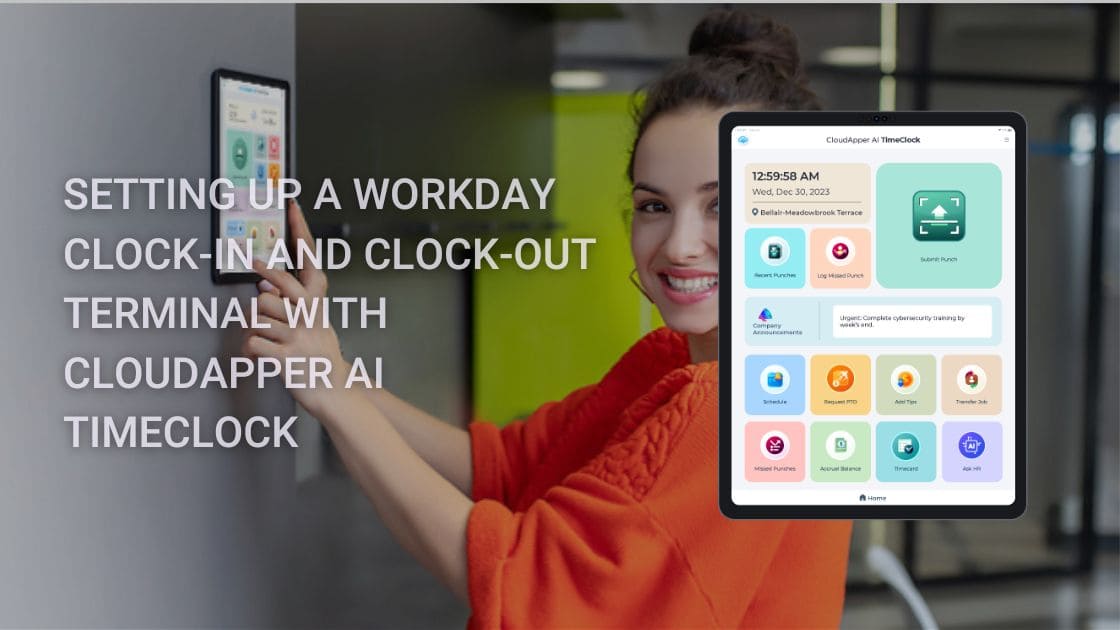
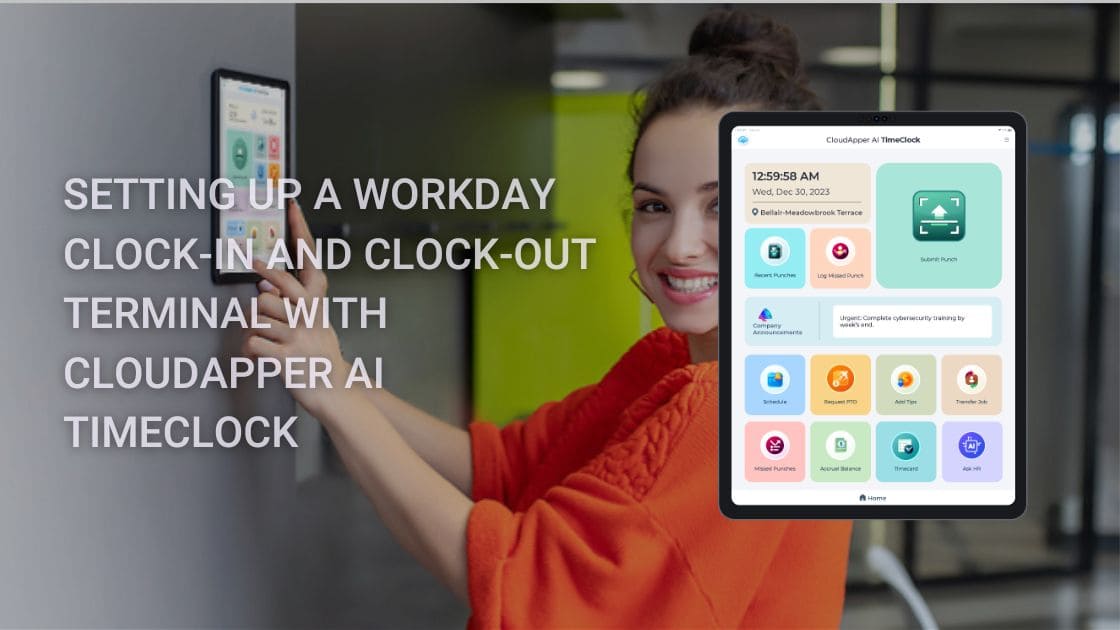
Need the practical, step-by-step guide to configure your own Workday touchless time clock terminal using this innovative AI tool?

Read the detailed setup tutorial for CloudApper AI TimeClock with Workday →

Transform your Workday time tracking into something accurate, fraud-resistant, and budget-smart—perfect for today’s workforce.

Check out CloudApper AI TimeClock – The Affordable, Touchless Biometric Time Clock Built for Workday Time Tracking & Payroll →

Slash hardware costs, stop time theft, and streamline payroll accuracy—upgrade to the future of Workday time capture now.

Categories
Time Capture

Top Affordable Biometric Time Clock Alternatives for Workday: Touchless Setup Guide & Savings

Looking for the best biometric time clock for Workday? As businesses prioritize hygiene, fraud prevention, and cost efficiency, traditional hardware-based Workday terminals are losing ground to smarter, more affordable alternatives. High costs, maintenance hassles, and buddy punching issues make many seek better Workday time tracking solutions that deliver accuracy without the premium price tag.

CloudApper AI TimeClock stands out as a leading touchless biometric time clock alternative for Workday — turning any standard iOS or Android tablet into a secure, AI-driven clock-in/clock-out station with native Workday integration.

Why it’s a top choice among affordable Workday time clock alternatives this year:

  • Touchless facial recognition biometrics — Fast, contact-free punches with anti-spoofing for maximum security and hygiene compliance
  • Up to 75% lower costs — Eliminate expensive proprietary hardware; use budget tablets for dramatic savings on deployment and upkeep
  • Robust anti-fraud tools — Geofencing, offline mode with auto-sync, job code capture, and AI-powered anomaly detection to stop time theft and ensure payroll precision
  • Employee self-service hub — View schedules, request PTO, check accruals, and access pay info directly at the device — boosting satisfaction and reducing HR queries
  • Seamless Workday sync — Real-time or batched data flow to Time Tracking & Payroll, audit-ready and compliant for industries like manufacturing, healthcare, retail, and hospitality

Scalable, touchless options like this are reshaping Workday time and attendance — offering enterprise-grade features at a fraction of legacy system prices.

Want the detailed, step-by-step instructions to set up your own Workday-integrated touchless time clock quickly and effectively?

Check out the complete 2026 setup guide for CloudApper AI TimeClock with Workday →

Ready to modernize your Workday time tracking with a cost-effective, biometric powerhouse?

Explore CloudApper AI TimeClock – Affordable, Touchless Biometric Solution for Workday Time Tracking & Payroll →

Cut hardware expenses, eliminate errors, and keep your workforce compliant — upgrade to smarter time capture that delivers real ROI.

Categories
Time Capture

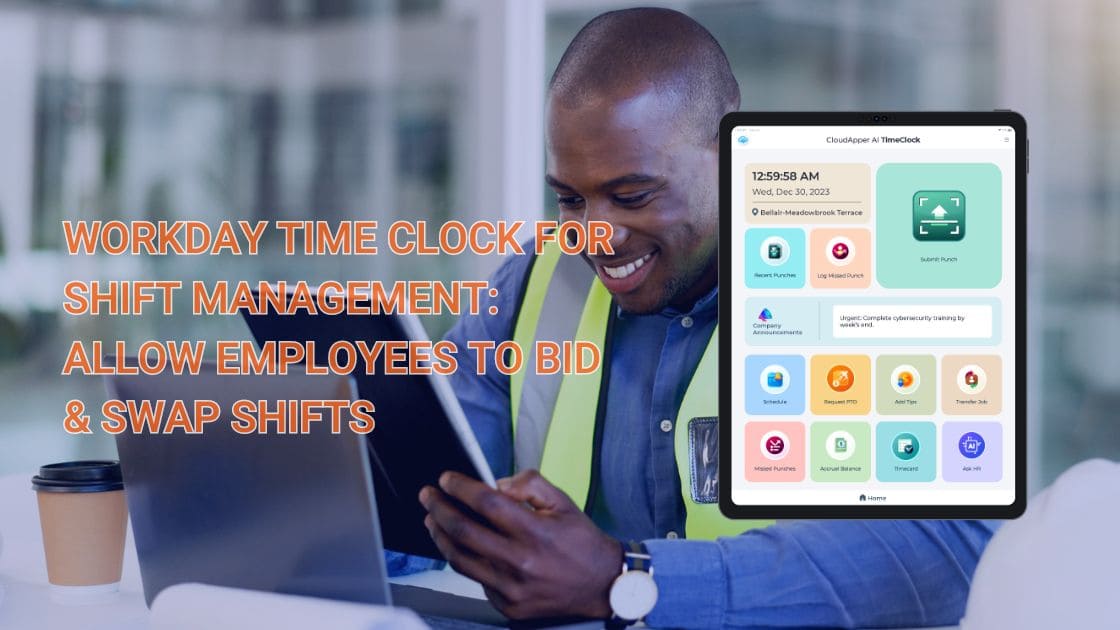
Transforming Workday Shift Management: How Employee Self-Service Bidding and Swapping Save Time and Money

This article is inspired by CloudApper’s original guide on modernizing shift workflows in Workday. For the complete feature overview, integration details, and real-world examples, read the full post here: Workday Time Clock for Shift Management: Allow Employees to Bid & Swap Shifts

Shift scheduling remains one of the most time-consuming and error-prone tasks in HR and operations — especially in industries with variable demand, high turnover, and round-the-clock staffing. Coordinators spend countless hours reviewing requests, filling open slots, resolving conflicts, and manually updating Workday calendars.

The hidden costs are substantial:

  • Overtime expenses spike from last-minute coverage gaps
  • Scheduler burnout from juggling emails, spreadsheets, and phone calls
  • Employee frustration when preferred shifts or swaps are delayed or denied
  • Compliance risks when union rules, seniority, or labor laws are inconsistently applied
  • Higher turnover when staff feel they have little control over their schedules

The solution lies in shifting the workload from coordinators to employees through self-service shift management tools integrated directly with Workday Time Tracking.

With the right solution, frontline workers can:

  • Bid on open shifts — view and submit bids for preferred hours, days, or locations based on availability, seniority, or personal needs
  • Request shift swaps — propose direct trades with eligible colleagues; the system automatically checks for conflicts and sends notifications for manager approval
  • Participate in job bidding — bid on preferred roles, tasks, or departments when openings arise
  • Engage in vacation bidding — compete fairly for desired vacation slots during peak seasons or annual cycles, with automated rule enforcement
  • Clock in/out from anywhere — using mobile devices with secure, touchless options (Face ID, PIN, QR, NFC), offline support, and real-time sync to Workday

The measurable benefits include:

  • 50–70% reduction in scheduling admin time
  • Faster filling of open shifts and fewer emergency overtime costs
  • Stronger compliance through automated enforcement of seniority, qualifications, and union policies
  • Improved employee satisfaction and retention (flexibility is consistently ranked among top retention drivers)
  • Complete audit trails — every bid, swap, and approval is logged in Workday for reporting and audits

CloudApper AI TimeClock extends Workday with exactly these capabilities — no expensive proprietary hardware required. Employees use affordable tablets or their own phones, while data flows natively and securely to Workday via certified APIs.

For more on CloudApper’s touchless biometric features and AI-assisted tools built specifically for Workday, visit: CloudApper AI TimeClock for Workday

The outcome is a leaner, more responsive scheduling process that reduces costs, minimizes errors, improves coverage, and turns employees into active participants in workforce planning — all without disrupting your existing Workday investment.

If your current Workday shift management still depends heavily on manual coordination, the inefficiency is likely costing more than you realize.

Ready to shift the workload from coordinators to employees and unlock real operational savings?

Dive deeper into the original CloudApper article for in-depth details on how Workday shift management becomes employee-driven with shift bidding, shift swap, job bidding, vacation bidding, and mobile time tracking: Workday Time Clock for Shift Management: Allow Employees to Bid & Swap Shifts