Categories
Enterprise AI

The Integration Nightmare: Why Connecting AI to Legacy Systems Kills Most Rollouts—and How to Avoid It

One of the deadliest yet most common killers of enterprise AI adoption is the integration nightmare. Organizations buy into powerful AI capabilities, excited about automation and insights, only to hit a wall when trying to connect those models to existing legacy systems—ERP, HCM, CRM, finance platforms, and more. Disconnected data flows, incompatible APIs, security restrictions, and months-long custom development turn ambitious projects into costly, delayed failures that never reach production.

Why Legacy Integration Remains the Silent Killer of AI Projects

Modern AI thrives on real-time, bidirectional access to accurate enterprise data. Legacy systems fight back with:

  • Outdated architectures — Rigid, batch-oriented systems that don’t support live data exchange.
  • Complex, brittle APIs — Custom connectors require specialized developers and constant maintenance.
  • Security & compliance friction — Strict controls block easy access while risking violations.
  • Vendor lock-in traps — Proprietary formats and limited documentation slow progress.
  • Resource drainTeams spend more time on plumbing than on delivering business value.

The fallout? AI stays siloed in shadow tools or spreadsheets, adoption collapses, budgets balloon, and executive support evaporates.

4 Smart Ways to Bypass the Integration Nightmare

  1. Choose Platforms Built for Enterprise Reality Prioritize no-code/low-code solutions designed specifically for legacy and modern system integration—no heavy custom coding required.
  2. Demand Bidirectional, Real-Time Connectivity Ensure AI can read from and write back to core systems instantly, keeping data synchronized without manual intervention or ETL pipelines.
  3. Start with Pre-Built Connectors Leverage ready-made integrations with popular platforms (UKG, Workday, Oracle, SAP, Salesforce, etc.) to skip months of development and accelerate proof-of-value.
  4. Keep Security & Governance Native Select tools that inherit your existing enterprise security model and compliance framework, so integration doesn’t introduce new risks.

CloudApper AI: The Integration-First Path to AI Success

CloudApper AI eliminates the legacy integration nightmare with its no-code platform. Create custom AI agents that train securely on your corporate data, connect bidirectionally in real time to major enterprise systems (UKG, Workday, Oracle, SAP, Salesforce, and more), and deploy intuitive drag-and-drop user experiences—all without ripping out infrastructure or hiring armies of developers. AI activates fast, data stays governed, and organizations achieve scalable adoption without the usual integration headaches.

Want the complete foundational roadmap? Read the original article for the full picture on rolling out AI: How to Roll Out Artificial Intelligence in Your Organization

Start connecting AI to your systems today: CloudApper AI Platform – Build & Integrate LLM with Enterprise Systems

Stop fighting legacy systems. Achieve seamless, secure AI integration and turn your existing tech stack into a competitive superpower—without the nightmare.
Categories
Time Capture

Mastering Workday Time Clock Rounding for Retail: Handling High-Volume Shifts, Part-Time Staff & Peak-Hour Accuracy

Retail environments—big-box stores, grocery chains, fashion outlets—feature frequent shift changes, part-time employees, seasonal rushes, and variable foot traffic. Accurate time tracking prevents payroll inflation from micro-delays while ensuring fair pay during busy openings/closings. Workday’s time clock rounding configurations streamline this, but tailored setup is key to avoid wage disputes, compliance risks, and unhappy associates in fast-paced stores.

Nearest 15-Minute Rounding: Retail’s Go-To Choice

Most retail teams use nearest quarter-hour rounding: punches adjust to the closest :00, :15, :30, or :45 within a 7.5-minute window.

  • Clock in at 9:06 a.m. → rounds to 9:00 a.m. (or nearest).
  • 9:09 a.m. → rounds to 9:15 a.m.

This complies with FLSA (neutral over time, max 15-minute increments) and handles brief pre-shift tasks or delayed checkouts without tracking seconds. Stricter nearest-minute or no-rounding suits salaried managers, but 15-minute balances efficiency for hourly floor staff.

Retail-Specific Advantages

  • Manages peak chaos: Grace window absorbs minor delays from customer lines or register handoffs.
  • Controls costs: Prevents tiny early arrivals/late departures from adding up in high-turnover stores.
  • Boosts fairness: Associates learn the 7.5-minute rule quickly, reducing “I was only a minute late” complaints.
  • Compliance edge: Neutral application avoids FLSA violations; consistent rules protect against state scrutiny (e.g., CA’s strict oversight).

Common risk: Patterns where opening shifts round down systematically (early arrivals) while closings round up—regular analytics checks keep it balanced.

Retail Best Practices for Workday Rounding

  1. Apply role-specific rules (e.g., 15-minute for cashiers/sales associates, nearest minute for supervisors).
  2. Integrate geofencing or kiosk check-in to confirm on-site punches.
  3. Monitor via Workday analytics: Track rounding’s impact on overtime, labor budgets, and shift coverage.
  4. Review policies yearly, especially with changing state laws or union rules.

Upgrade with CloudApper AI Time Clock for Workday

Native Workday handles basics well, but retail thrives on speed and simplicity. CloudApper AI Time Clock turns tablets into touchless kiosks with Face ID, offline support for spotty store Wi-Fi, AI policy help, and custom rounding by store/location/shift—all at 25% of traditional hardware costs. Seamless Workday Payroll integration eliminates errors in overtime and PTO.

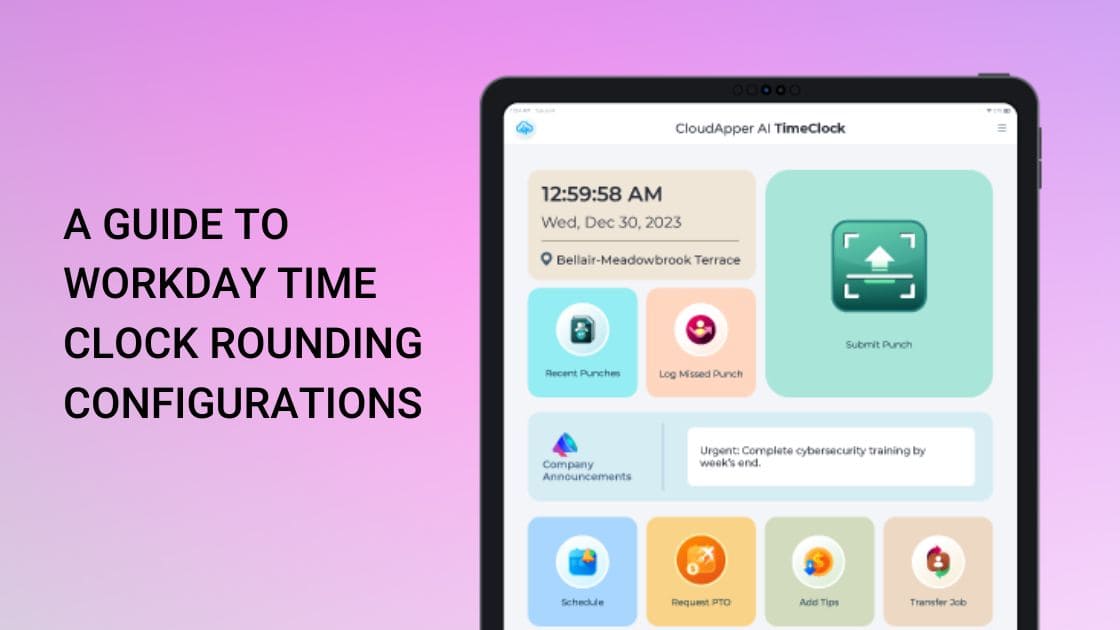
Explore full Workday rounding details in the source: A Guide to Workday Time Clock Rounding Configurations.

Ready to optimize retail timekeeping? Visit CloudApper AI Time Clock for Workday and keep shifts accurate, compliant, and cost-effective today.

Categories
Time Capture

Prioritize Workplace Hygiene & Safety: Touchless Biometric Time Clock for Paychex in High-Traffic & Health-Sensitive Environments

In industries like healthcare, hospitality, retail, manufacturing, or any shared workspace, maintaining hygiene and minimizing germ transmission has become non-negotiable—especially post-pandemic. Traditional punch cards, fingerprint scanners, or shared keypads introduce unnecessary contact risks, potentially spreading illnesses and disrupting operations. CloudApper AI TimeClock provides a fully touchless, hygienic alternative that integrates seamlessly with Paychex Payroll, prioritizing employee safety without sacrificing accuracy or efficiency.

The standout feature is contactless biometric facial recognition (Face ID Agent): Employees clock in and out with a simple face scan—no touching screens, buttons, or devices. This eliminates cross-contamination points common in high-traffic areas, making it ideal for hospitals, clinics, restaurants, gyms, or factories where multiple shifts overlap. The touchless process is fast, secure, and user-friendly, reducing wait times and queues at clock-in stations while boosting overall workplace cleanliness.

Combined with geo-fencing for location verification and offline data capture, it ensures reliable tracking even in dynamic environments—data saves locally during connectivity dips and syncs automatically to Paychex once reconnected. Real-time synchronization feeds precise punches directly into payroll, applying custom rules for breaks, overtime, and compliance to prevent errors and support fair, hygienic operations.

Employees gain added convenience through the self-service portal and 24/7 AI HR Assistant: They can check hours, request PTO, or ask safety-related questions (“What are today’s hygiene protocols?”) instantly via natural conversation—reducing physical HR interactions and supporting a safer, more autonomous workforce.

Businesses benefit from rapid, low-cost deployment: Use existing iPads or Android tablets—no proprietary hardware purchases or complex installations. This approach delivers enterprise-level security and hygiene at a fraction of traditional costs, with proven results like a healthcare provider slashing payroll errors by 30% and processing time by 35% through similar touchless, integrated tracking.

For Paychex users committed to safer, cleaner workplaces—especially in health-sensitive or high-contact settings—CloudApper AI TimeClock turns time tracking into a hygiene advantage that protects staff, enhances morale, and maintains compliance effortlessly.

Explore the hygienic, touchless features in detail: CloudApper AI TimeClock.

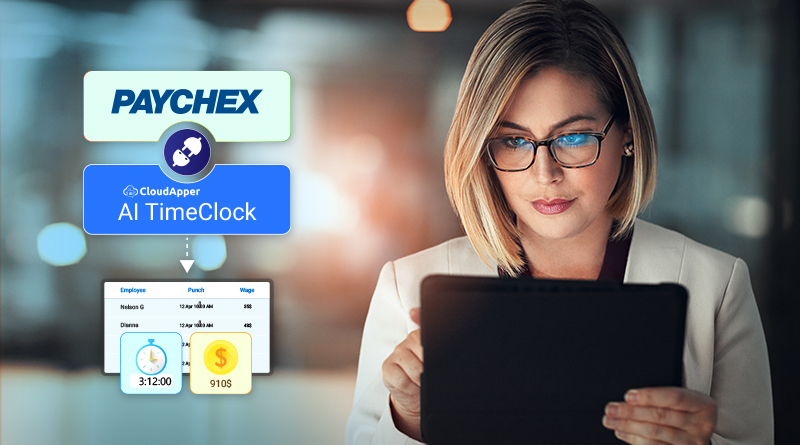
Original article for full context: Boost Your Payroll Accuracy with Affordable Time Clock for Paychex.

Categories
Time Capture

Empowering Employees & Freeing HR: How AI Automation Transforms Workday Time Tracking from Burden to Strategic Asset

HR and operations teams in dynamic, employee-heavy environments often drown in routine tasks: manual overtime approvals, missed punch corrections, PTO verifications, shift coverage coordination, compliance attestations, and endless employee inquiries. These drain time that could be spent on talent development, engagement, or strategic planning.

Workday provides solid core HCM and time tracking foundations but lacks built-in advanced automation for frontline complexities—no native AI agents for shift bidding, automated rule enforcement, conversational self-service, or proactive compliance prompts. Without these, organizations rely on manual interventions, spreadsheets, or fragmented tools—leading to delays, errors, higher labor costs, and frustrated employees who wait days for simple answers.

The powerful upgrade? AI-powered time clocks that embed intelligence directly into the clock-in experience, automating workflows, empowering employees with instant self-service, and slashing HR workload—all while feeding clean, compliant data straight into Workday.

The Real Cost of Manual HR Processes in Time Tracking

Common pain points slow teams down:

  • Administrative Overload — HR spends hours on corrections, approvals, inquiries, and compliance checks instead of high-value work.
  • Delayed Employee Support — Workers wait for answers on schedules, balances, or requests—hurting morale in high-turnover sectors.
  • Compliance & Error Risks — Manual overtime/PTO handling misses nuances in labor laws, union rules, or company policies.
  • Shift Management Chaos — Coordinating coverage for absences or preferences relies on emails/phone calls rather than automated bidding.
  • Low Adoption & Engagement — Without intuitive, empowering tools, employees disengage from self-service features.

AI integration flips this script by making the time clock a proactive hub that handles routine tasks automatically and gives employees control.

CloudApper AI TimeClock: AI Agents That Work for You and Your People

CloudApper AI TimeClock leverages no-code AI agents to supercharge Workday time tracking—turning standard tablets into intelligent, automated kiosks that reduce HR effort while boosting workforce autonomy.

Transformative AI-powered capabilities:

  1. Automated Overtime, PTO & Compliance — AI enforces complex rules (breaks, overtime thresholds, accruals) in real-time during punches; flags issues instantly and auto-applies policies—no manual reviews needed.
  2. Employee Self-Service Revolution — Workers access schedules, request PTO, view balances, submit corrections, or bid on shifts directly at the kiosk or via mobile—empowering them and cutting HR tickets dramatically.
  3. 24/7 Conversational AI HR Assistant — Employees ask natural-language questions (“How much PTO do I have?” or “Can I swap my Friday shift?”) and get instant, accurate answers—available anytime, reducing after-hours support.
  4. AI-Driven Shift Bidding & Management — Enable employees to bid, swap, or confirm shifts autonomously; AI handles approvals based on rules, seniority, or availability—streamlining coverage in retail, hospitality, or manufacturing.
  5. Touchless Biometrics + Geo-Fencing — Secure, fraud-proof identity/location verification feeds accurate data to Workday automatically.
  6. Seamless Workday Sync — All automated actions (punches, requests, attestations) flow via certified APIs into Workday Payroll, Absence, and Time modules—ensuring real-time accuracy without double-entry.
  7. Quick, No-Code Deployment — Set up custom AI agents without developers; roll out across sites using affordable tablets for rapid ROI through reduced admin time and errors.

HR teams adopting this see significant workload drops (fewer inquiries, faster approvals), improved compliance, higher employee satisfaction, and better data for workforce planning—all while leveraging Workday’s strengths.

Shift HR from Admin to Strategy—Unlock AI Empowerment Today

For organizations using Workday and ready to automate routine time processes, empower frontline staff, and reclaim HR bandwidth, CloudApper AI TimeClock delivers intelligent, integrated automation that pays dividends in efficiency and engagement.

Discover how AI agents can lighten your team’s load—visit CloudApper AI TimeClock for Workday and explore tailored automation options.

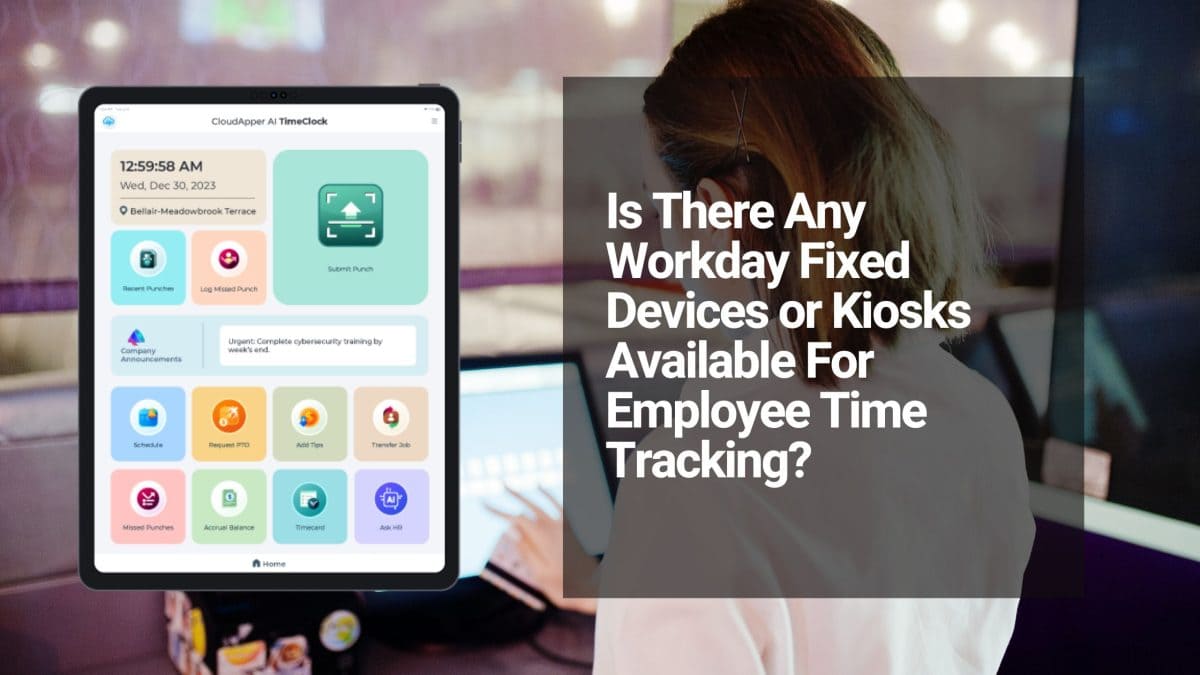
This AI-automation and empowerment angle builds on the original discussion. For the full source article, see: Is There Any Workday Fixed Devices or Kiosks Available For Employee Time Tracking?