Categories
Time Capture

The Costly Inefficiency of Benefits Enrollment: How AI Streamlines Open Enrollment and Reduces Drop-Offs in Compensation & Benefits

Open enrollment periods turn into annual nightmares for HR: massive volumes of employee questions, incomplete forms, incorrect elections, last-minute changes, and follow-up chaos. Many employees skip or under-enroll in valuable benefits due to confusion, overwhelming choices, or delayed answers—leading to suboptimal coverage, higher out-of-pocket costs for workers, increased claims disputes, and wasted employer contributions. The inefficiency drains HR resources, spikes administrative costs, and leaves employees feeling unsupported during one of the most important decisions of the year.

Why Benefits Enrollment Remains a High-Cost Pain Point

  • Employees face dozens of plan options, deductibles, copays, HSA/FSA rules, and life-event qualifiers—often without clear guidance.
  • Generic emails and portals provide static info but no interactive help for personalized scenarios.
  • HR fields the same questions repeatedly: “Does this plan cover my specialist?” “How much should I contribute to my HSA?” “What happens if I change jobs mid-year?”
  • Manual processing of enrollments, exceptions, and corrections eats weeks of time.
  • Low participation or wrong elections increase long-term costs through higher premiums, poor risk pooling, and employee dissatisfaction.

The hidden toll: frustrated workers, compliance exposure from errors, and HR burnout during peak seasons.

4 Ways AI Transforms Benefits Enrollment Efficiency

  1. Offer Instant, Personalized Guidance Employees ask natural questions and receive tailored explanations based on their salary, family status, location, and prior elections.
  2. Guide Step-by-Step Through Choices AI walks users through plan comparisons, cost projections, coverage gaps, and optimal selections—reducing confusion and abandonment.
  3. Automate Validation & Error Prevention Real-time checks catch incomplete forms, ineligible elections, or compliance issues before submission—slashing rework.
  4. Scale Support Without Extra Staff Handle thousands of simultaneous inquiries 24/7, dramatically cutting HR phone/email volume and speeding up the entire enrollment window.

CloudApper hrGPT: AI That Makes Benefits Enrollment Simple and Effective

CloudApper hrGPT is an intelligent HCM chatbot that integrates seamlessly with your core systems (UKG, Workday, Oracle, SAP, etc.). It ingests benefit plan documents, eligibility rules, pricing tables, and your organization’s policies to deliver precise, individualized support during open enrollment and year-round.

Employees get confident, fast answers and guided decision-making. HR sees enrollment completion rates rise, error rates fall, administrative workload drop by up to 50%, and overall costs decrease through better participation and fewer corrections. The result: smoother open enrollment, happier employees who feel truly supported, and a more efficient total rewards operation.

Ready to end the open enrollment chaos? Explore the original in-depth guide: How Is AI Used in Compensation and Benefits?

Revolutionize your benefits enrollment experience today: CloudApper hrGPT – HCM Automation Solution

Stop treating enrollment as a burden. Let AI turn it into an empowering, efficient process that maximizes value for both your organization and your people.
Categories
Time Capture

Mastering Workday Time Clock Rounding for Retail: Handling High-Volume Shifts, Part-Time Staff & Peak-Hour Accuracy

Retail environments—big-box stores, grocery chains, fashion outlets—feature frequent shift changes, part-time employees, seasonal rushes, and variable foot traffic. Accurate time tracking prevents payroll inflation from micro-delays while ensuring fair pay during busy openings/closings. Workday’s time clock rounding configurations streamline this, but tailored setup is key to avoid wage disputes, compliance risks, and unhappy associates in fast-paced stores.

Nearest 15-Minute Rounding: Retail’s Go-To Choice

Most retail teams use nearest quarter-hour rounding: punches adjust to the closest :00, :15, :30, or :45 within a 7.5-minute window.

  • Clock in at 9:06 a.m. → rounds to 9:00 a.m. (or nearest).
  • 9:09 a.m. → rounds to 9:15 a.m.

This complies with FLSA (neutral over time, max 15-minute increments) and handles brief pre-shift tasks or delayed checkouts without tracking seconds. Stricter nearest-minute or no-rounding suits salaried managers, but 15-minute balances efficiency for hourly floor staff.

Retail-Specific Advantages

  • Manages peak chaos: Grace window absorbs minor delays from customer lines or register handoffs.
  • Controls costs: Prevents tiny early arrivals/late departures from adding up in high-turnover stores.
  • Boosts fairness: Associates learn the 7.5-minute rule quickly, reducing “I was only a minute late” complaints.
  • Compliance edge: Neutral application avoids FLSA violations; consistent rules protect against state scrutiny (e.g., CA’s strict oversight).

Common risk: Patterns where opening shifts round down systematically (early arrivals) while closings round up—regular analytics checks keep it balanced.

Retail Best Practices for Workday Rounding

  1. Apply role-specific rules (e.g., 15-minute for cashiers/sales associates, nearest minute for supervisors).
  2. Integrate geofencing or kiosk check-in to confirm on-site punches.
  3. Monitor via Workday analytics: Track rounding’s impact on overtime, labor budgets, and shift coverage.
  4. Review policies yearly, especially with changing state laws or union rules.

Upgrade with CloudApper AI Time Clock for Workday

Native Workday handles basics well, but retail thrives on speed and simplicity. CloudApper AI Time Clock turns tablets into touchless kiosks with Face ID, offline support for spotty store Wi-Fi, AI policy help, and custom rounding by store/location/shift—all at 25% of traditional hardware costs. Seamless Workday Payroll integration eliminates errors in overtime and PTO.

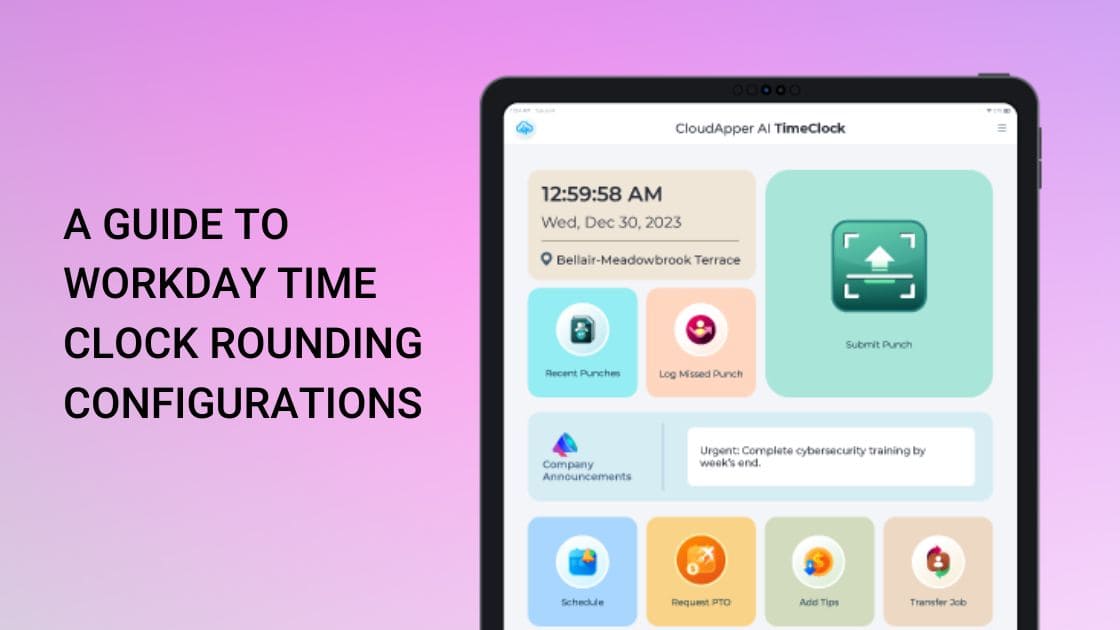
Explore full Workday rounding details in the source: A Guide to Workday Time Clock Rounding Configurations.

Ready to optimize retail timekeeping? Visit CloudApper AI Time Clock for Workday and keep shifts accurate, compliant, and cost-effective today.

Categories
Time Capture

Prioritize Workplace Hygiene & Safety: Touchless Biometric Time Clock for Paychex in High-Traffic & Health-Sensitive Environments

In industries like healthcare, hospitality, retail, manufacturing, or any shared workspace, maintaining hygiene and minimizing germ transmission has become non-negotiable—especially post-pandemic. Traditional punch cards, fingerprint scanners, or shared keypads introduce unnecessary contact risks, potentially spreading illnesses and disrupting operations. CloudApper AI TimeClock provides a fully touchless, hygienic alternative that integrates seamlessly with Paychex Payroll, prioritizing employee safety without sacrificing accuracy or efficiency.

The standout feature is contactless biometric facial recognition (Face ID Agent): Employees clock in and out with a simple face scan—no touching screens, buttons, or devices. This eliminates cross-contamination points common in high-traffic areas, making it ideal for hospitals, clinics, restaurants, gyms, or factories where multiple shifts overlap. The touchless process is fast, secure, and user-friendly, reducing wait times and queues at clock-in stations while boosting overall workplace cleanliness.

Combined with geo-fencing for location verification and offline data capture, it ensures reliable tracking even in dynamic environments—data saves locally during connectivity dips and syncs automatically to Paychex once reconnected. Real-time synchronization feeds precise punches directly into payroll, applying custom rules for breaks, overtime, and compliance to prevent errors and support fair, hygienic operations.

Employees gain added convenience through the self-service portal and 24/7 AI HR Assistant: They can check hours, request PTO, or ask safety-related questions (“What are today’s hygiene protocols?”) instantly via natural conversation—reducing physical HR interactions and supporting a safer, more autonomous workforce.

Businesses benefit from rapid, low-cost deployment: Use existing iPads or Android tablets—no proprietary hardware purchases or complex installations. This approach delivers enterprise-level security and hygiene at a fraction of traditional costs, with proven results like a healthcare provider slashing payroll errors by 30% and processing time by 35% through similar touchless, integrated tracking.

For Paychex users committed to safer, cleaner workplaces—especially in health-sensitive or high-contact settings—CloudApper AI TimeClock turns time tracking into a hygiene advantage that protects staff, enhances morale, and maintains compliance effortlessly.

Explore the hygienic, touchless features in detail: CloudApper AI TimeClock.

Original article for full context: Boost Your Payroll Accuracy with Affordable Time Clock for Paychex.

Categories
Time Capture

Empowering Employees & Freeing HR: How AI Automation Transforms Workday Time Tracking from Burden to Strategic Asset

HR and operations teams in dynamic, employee-heavy environments often drown in routine tasks: manual overtime approvals, missed punch corrections, PTO verifications, shift coverage coordination, compliance attestations, and endless employee inquiries. These drain time that could be spent on talent development, engagement, or strategic planning.

Workday provides solid core HCM and time tracking foundations but lacks built-in advanced automation for frontline complexities—no native AI agents for shift bidding, automated rule enforcement, conversational self-service, or proactive compliance prompts. Without these, organizations rely on manual interventions, spreadsheets, or fragmented tools—leading to delays, errors, higher labor costs, and frustrated employees who wait days for simple answers.

The powerful upgrade? AI-powered time clocks that embed intelligence directly into the clock-in experience, automating workflows, empowering employees with instant self-service, and slashing HR workload—all while feeding clean, compliant data straight into Workday.

The Real Cost of Manual HR Processes in Time Tracking

Common pain points slow teams down:

  • Administrative Overload — HR spends hours on corrections, approvals, inquiries, and compliance checks instead of high-value work.
  • Delayed Employee Support — Workers wait for answers on schedules, balances, or requests—hurting morale in high-turnover sectors.
  • Compliance & Error Risks — Manual overtime/PTO handling misses nuances in labor laws, union rules, or company policies.
  • Shift Management Chaos — Coordinating coverage for absences or preferences relies on emails/phone calls rather than automated bidding.
  • Low Adoption & Engagement — Without intuitive, empowering tools, employees disengage from self-service features.

AI integration flips this script by making the time clock a proactive hub that handles routine tasks automatically and gives employees control.

CloudApper AI TimeClock: AI Agents That Work for You and Your People

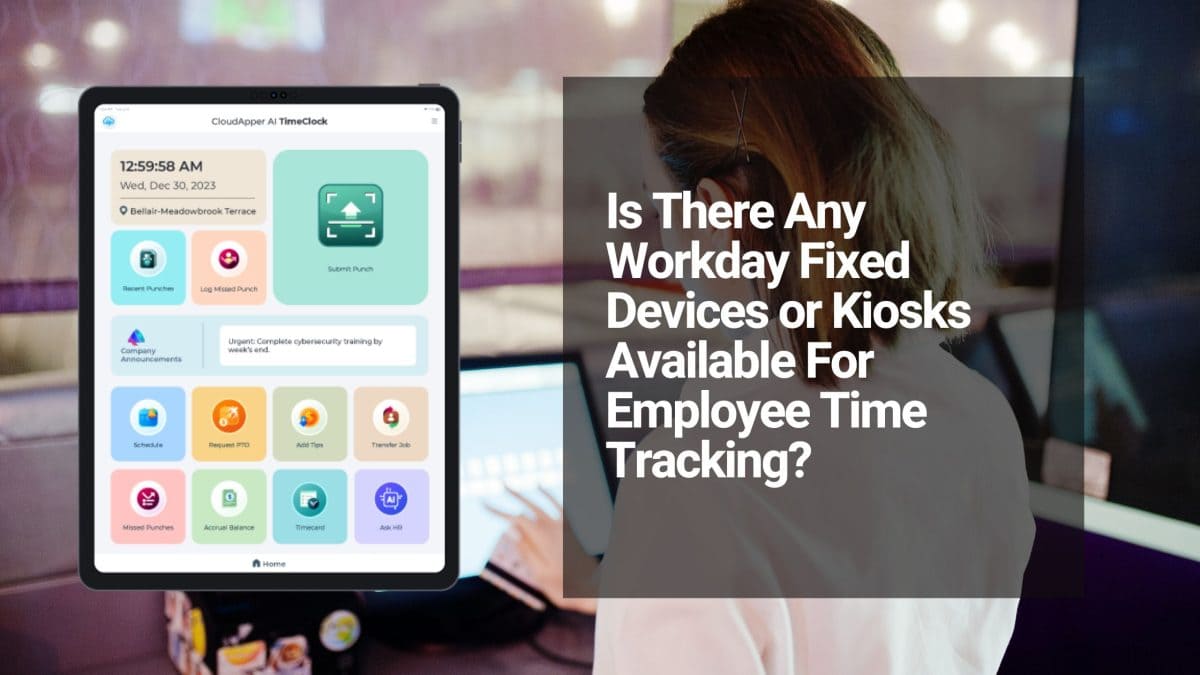
CloudApper AI TimeClock leverages no-code AI agents to supercharge Workday time tracking—turning standard tablets into intelligent, automated kiosks that reduce HR effort while boosting workforce autonomy.

Transformative AI-powered capabilities:

  1. Automated Overtime, PTO & Compliance — AI enforces complex rules (breaks, overtime thresholds, accruals) in real-time during punches; flags issues instantly and auto-applies policies—no manual reviews needed.
  2. Employee Self-Service Revolution — Workers access schedules, request PTO, view balances, submit corrections, or bid on shifts directly at the kiosk or via mobile—empowering them and cutting HR tickets dramatically.
  3. 24/7 Conversational AI HR Assistant — Employees ask natural-language questions (“How much PTO do I have?” or “Can I swap my Friday shift?”) and get instant, accurate answers—available anytime, reducing after-hours support.
  4. AI-Driven Shift Bidding & Management — Enable employees to bid, swap, or confirm shifts autonomously; AI handles approvals based on rules, seniority, or availability—streamlining coverage in retail, hospitality, or manufacturing.
  5. Touchless Biometrics + Geo-Fencing — Secure, fraud-proof identity/location verification feeds accurate data to Workday automatically.
  6. Seamless Workday Sync — All automated actions (punches, requests, attestations) flow via certified APIs into Workday Payroll, Absence, and Time modules—ensuring real-time accuracy without double-entry.
  7. Quick, No-Code Deployment — Set up custom AI agents without developers; roll out across sites using affordable tablets for rapid ROI through reduced admin time and errors.

HR teams adopting this see significant workload drops (fewer inquiries, faster approvals), improved compliance, higher employee satisfaction, and better data for workforce planning—all while leveraging Workday’s strengths.

Shift HR from Admin to Strategy—Unlock AI Empowerment Today

For organizations using Workday and ready to automate routine time processes, empower frontline staff, and reclaim HR bandwidth, CloudApper AI TimeClock delivers intelligent, integrated automation that pays dividends in efficiency and engagement.

Discover how AI agents can lighten your team’s load—visit CloudApper AI TimeClock for Workday and explore tailored automation options.

This AI-automation and empowerment angle builds on the original discussion. For the full source article, see: Is There Any Workday Fixed Devices or Kiosks Available For Employee Time Tracking?

Categories
Time Capture

The Most Effective Time Punch System for “Just Pay” in Landscaping & Grounds Maintenance: Mobile, Weather-Resistant AI TimeClock That Syncs Seamlessly with Payroll Systems

In landscaping and lawn care, just pay keeps crews motivated and profitable: workers must be paid precisely for mowing time, trimming, clean-up, travel between jobs, and any weather-delay overtime—without shorted hours during long days or inflated totals from inaccurate tracking. Paper logs, foreman sign-offs, or basic apps frequently fail: missed punches in remote yards or parks with no signal, buddy punching among crew members, unclear job-site allocation, disputes over drive time, and payroll delays that frustrate workers during peak spring/fall seasons.

CloudApper AI TimeClock is the most effective, rugged-friendly time punch solution for landscaping companies running payroll systems. It combines biometric security, full offline support, and job-site intelligence to deliver verifiable, equitable time records—ensuring fair compensation, transparency, and operational efficiency.

Why Landscaping & Grounds Maintenance Needs a Superior Time Punch System for Just Pay

  • Job-Site & Travel Verification → Geofencing confirms the crew is at the correct property/yard; optional travel-time logging between jobs ensures fair mileage or drive pay per company policy or state rules.
  • Offline Durability in the Field → Punches work 100% offline (no Wi-Fi needed on golf courses, large estates, or rural properties); data auto-syncs securely when back in range or at the shop—no lost shifts due to poor coverage.
  • Task & Property Allocation → Workers select or scan job codes, client properties, or task types (mowing, edging, mulching, irrigation repair) during punches—supporting accurate client billing and labor cost tracking in payroll.
  • Weather & Overtime Handling → Automatically captures extended hours from rain delays or emergency calls; clean data flows to payroll systems for proper premium/overtime calculations without manual adjustments.
  • Crew Trust & Retention → Mobile self-service allows workers to view logged hours, upcoming jobs, request time off, or check pay details—reducing “I wasn’t paid for that job” complaints and helping retain seasonal/permanent staff.

Standout Features for Landscaping Teams on Payroll Systems

  • Touchless Face Recognition → Quick, hygienic facial logins (gloves-friendly, works in sunlight or dust)—perfect for field workers in hats, sunglasses, or PPE.
  • Multiple Rugged Options → Face ID + QR code/NFC/barcode for fast scans at truck dashboards, job-site signs, or shared crew tablets.
  • 24/7 AI Assistant → Instant field support (“How many hours did I log at the Smith residence today?” or “Am I eligible for travel pay?”)—minimizing calls to dispatch during busy mowing routes.
  • Seamless Payroll Integration → Direct sync with Payroll Systems (UKG, Oracle, Workday compatibility)—punches, travel time, job notes, and overtime upload automatically for fast, accurate payroll runs.
  • Extremely Cost-Effective → Turns standard tablets (iPad or rugged Android) into smart time clocks—at roughly 25% of traditional hardware clock costs (saving up to 75% on purchase, installation, and repairs)—ideal for seasonal scaling or fleet-wide rollout.

Landscaping companies using similar AI-driven time capture report fewer payroll corrections, reduced crew disputes, better job costing for bids, lower overtime surprises, higher worker satisfaction, and stronger client relationships—all built on consistently delivering just pay.

For the full original article on the most effective time punch system for just pay, see the source: The Most Effective Time Punch System for Employees With Just Pay

Ensure Fair, Accurate Pay and Simplify Field Operations in Landscaping

Equip your mowers, trimmers, irrigators, and crew leads with an intuitive, reliable way to record time that guarantees every hour is compensated correctly and integrates effortlessly with Payroll Systems.

Ready to eliminate punch gaps, cut disputes, and improve crew morale? Discover CloudApper AI TimeClock – the employee timeclock application built for mobile outdoor service teams and reach out to our experts for a landscaping-specific demo.

Let’s discuss your setup: property-specific geofencing, travel-time rules, seasonal crew onboarding, or Payroll Systems sync details!

Categories
Time Capture

Enhancing Workday Time Tracking for Hospitality & Food Service Teams: Fast, Hygienic, AI-Driven Integration with CloudApper AI TimeClock

Hospitality and food service operations thrive on speed and flexibility—but manual timesheets or clunky clocks create bottlenecks: high staff turnover leads to training overhead on punch processes, busy rushes cause missed or inaccurate punches, shared devices raise hygiene concerns, variable shifts (split shifts, on-call, events) complicate scheduling and PTO, and delayed data syncs to Workday inflate overtime costs or trigger compliance issues with tip allocation and meal breaks.

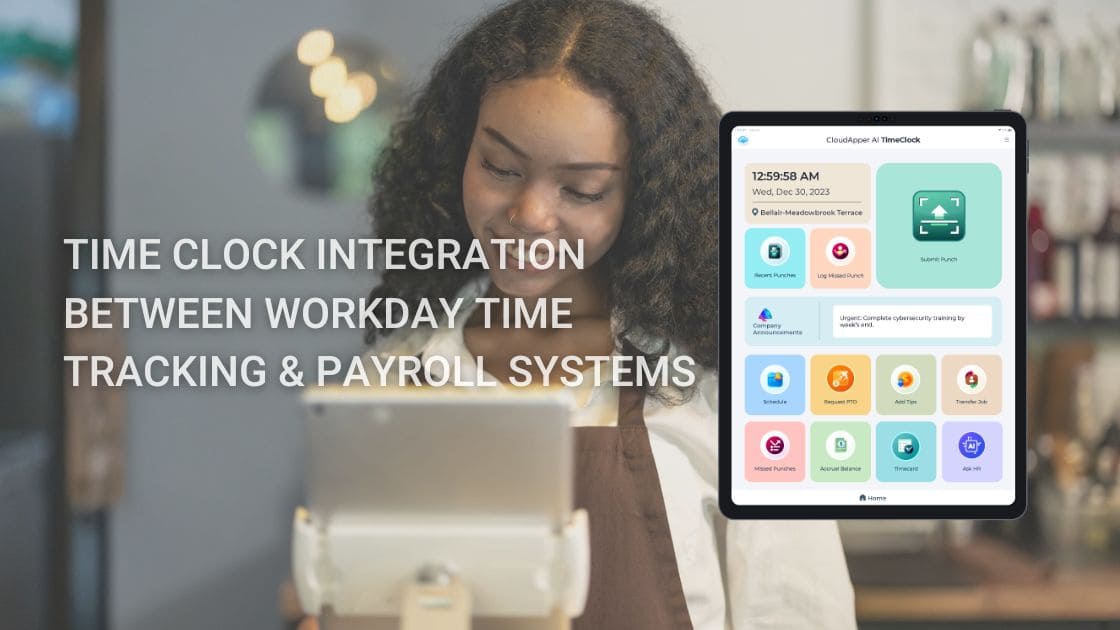
CloudApper AI TimeClock offers a hospitality-optimized, seamless Workday time clock integration that prioritizes quick, touchless, and mobile-friendly capture—keeping frontline servers, cooks, bartenders, housekeepers, and event staff productive while feeding precise data into Workday Payroll, Time Tracking, and Absence modules.

Hospitality-Specific Challenges Addressed

  • Hygiene-Focused Touchless Punching → Biometric face recognition enables contactless check-ins/out—crucial for food handling and post-pandemic guest expectations in restaurants and hotels.
  • Offline Support for Busy or Remote Venues → Punches work without Wi-Fi (e.g., outdoor events, pop-up catering, or basement kitchens); data auto-syncs to Workday once online, preventing payroll gaps during peak seasons.
  • Shift Flexibility & Self-Service → Employees easily view schedules, bid on open shifts, request time off, swap with colleagues, or check tip/pay balances—reducing manager involvement during service rushes.
  • Compliance & Labor Cost Control → Automates break enforcement, overtime alerts, and tip-related attestations; accurate punches sync to Workday for fair tip credit application and audit-ready records.

Explore the complete feature set: CloudApper AI TimeClock for Workday

Standout Features for Restaurants, Hotels & Catering

  • Rapid Punch Methods → Face ID for instant, hands-free logins (gloves-friendly for kitchen staff); QR code/barcode/NFC options for quick badge or station-based clocks at host stands or back-of-house.
  • Geofencing for Multi-Location Accuracy → Restrict punches to venue perimeters (main restaurant, hotel floors, event halls), minimizing off-site fraud while supporting roaming banquet staff.
  • 24/7 AI Assistant → Instant answers to common queries (“When’s my next shift?” or “How do I request vacation?”), automates approvals, and cuts HR calls during high-volume periods.
  • Task & Tip Tracking Integration → Optional capture of roles (server vs. bartender) or events for better labor allocation and tip pooling insights flowing into Workday.
  • Affordable & Scalable Setup → Uses existing iPads/Android tablets as smart clocks—at roughly 25% of traditional hardware costs (saving up to 75%)—ideal for scaling across chains, seasonal pop-ups, or new openings.

Hospitality teams using similar integrations report faster payroll cycles, reduced overtime from better shift visibility, and happier staff thanks to self-service—directly improving guest service quality.

For the broader foundation on Workday time clock integration, refer to the original source: Time Clock Integration Between Workday Time Tracking & Payroll Systems

Level Up Your Hospitality Workforce Management

Equip your servers, kitchen crew, and hotel staff with intuitive, secure time capture that integrates seamlessly with Workday—driving payroll accuracy, controlling labor costs, and letting managers focus on guest experience over paperwork.

Ready to streamline shifts and eliminate punch hassles? Discover CloudApper AI TimeClock for Workday today and contact our experts for a hospitality-tailored demo—whether for a single restaurant or multi-property chain.

Let’s discuss your setup: peak-season scaling, tip compliance, or multi-venue geofencing!

Categories
Time Capture

Why Tablet-Based Time Clocks Are the Smarter, More Flexible Choice for Modern Workforce Time Tracking

Traditional time clocks — fixed wall-mounted terminals, proprietary kiosks, or paper-based sign-in sheets — are increasingly out of step with today’s workforce realities: hybrid teams, remote workers, high-turnover frontline staff, and the need for fast, hygienic, and mobile-friendly time tracking.

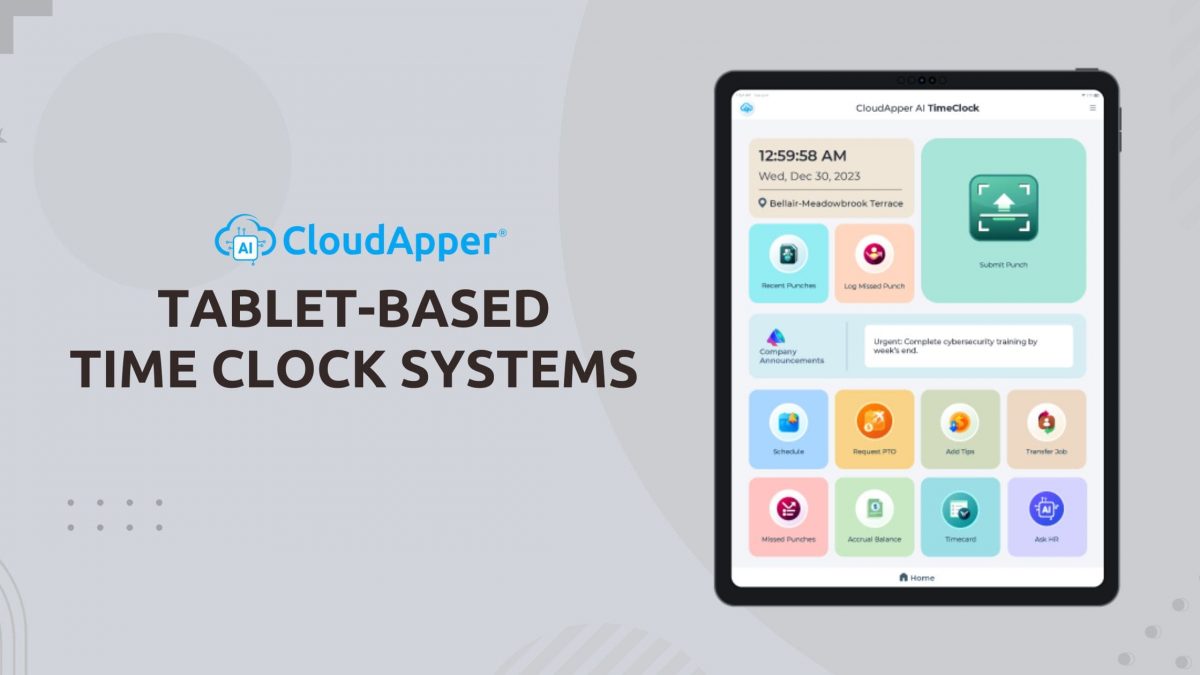
Tablet-based time clock systems offer a far more practical, cost-effective, and employee-centric solution — using standard iPads or Android tablets that most organizations already own or can acquire at low cost.

Key reasons tablet time clocks are gaining momentum:

  • Significant cost savings — Tablets cost 70–80% less than proprietary time clock kiosks, with no ongoing maintenance contracts or specialized installation fees.
  • Touchless & hygienic operation — Face ID or fingerprint options eliminate shared keypads/buttons — a critical advantage in healthcare, food service, manufacturing, and high-traffic environments.
  • Total deployment flexibility — Place tablets at entrances, break rooms, production lines, or even mobile carts — no fixed location required. Employees can also use their own phones when needed.
  • Employee self-service convenience — Staff clock in/out, view schedules, request time off, swap shifts, check accruals, and access pay information — all from one device, reducing HR support calls.
  • Offline reliability — Punches are captured locally and automatically sync when internet returns — perfect for warehouses, construction sites, field service, or areas with unreliable connectivity.
  • Strong anti-fraud protectionBiometric verification (Face ID >99.5% accurate) + geofencing prevents buddy punching and time theft — protecting payroll integrity.
  • Seamless integration — Real-time sync with major HR/payroll platforms (Workday, UKG Ready/Dimensions, Ceridian Dayforce, ADP, Paychex, etc.) — no manual exports, no double-entry errors.

At M2SYS, we’ve long championed biometric and mobile-first solutions that make workforce management simpler, more secure, and more accurate — and tablet-based time clocks align perfectly with that vision.

CloudApper AI TimeClock takes this approach to the next level — transforming any compatible tablet into a full-featured, touchless time clock and employee self-service hub — without the high cost or limitations of legacy systems.

Ready to upgrade from rigid, expensive time clocks to a flexible, tablet-powered solution that employees actually prefer?

Discover CloudApper AI TimeClock — the leading tablet clock-in system for secure, touchless time tracking and workforce management: CloudApper AI TimeClock – Employee Timeclock Application

Want the full feature list, cost comparison, integration options, and why tablet-based systems are becoming the new standard for modern time tracking? Read the original CloudApper article: Tablet-Based Time Clock Systems for Employees: Streamlining Workforce Management

Categories
Time Capture

Biometric Time Clock Integration with Workday: Perfect for Hybrid, Remote, and Deskless Teams

The modern workforce is more distributed than ever — hybrid office/remote setups, field technicians, shift-based frontline staff, and deskless employees across multiple locations. Traditional time clocks (fixed kiosks, shared fingerprint scanners, wall-mounted terminals) simply don’t scale or adapt to this reality. They’re costly, location-bound, hygiene-challenged, and often disconnected from core HR systems like Workday.

Workday biometric time clock integration done right solves all of these pain points.

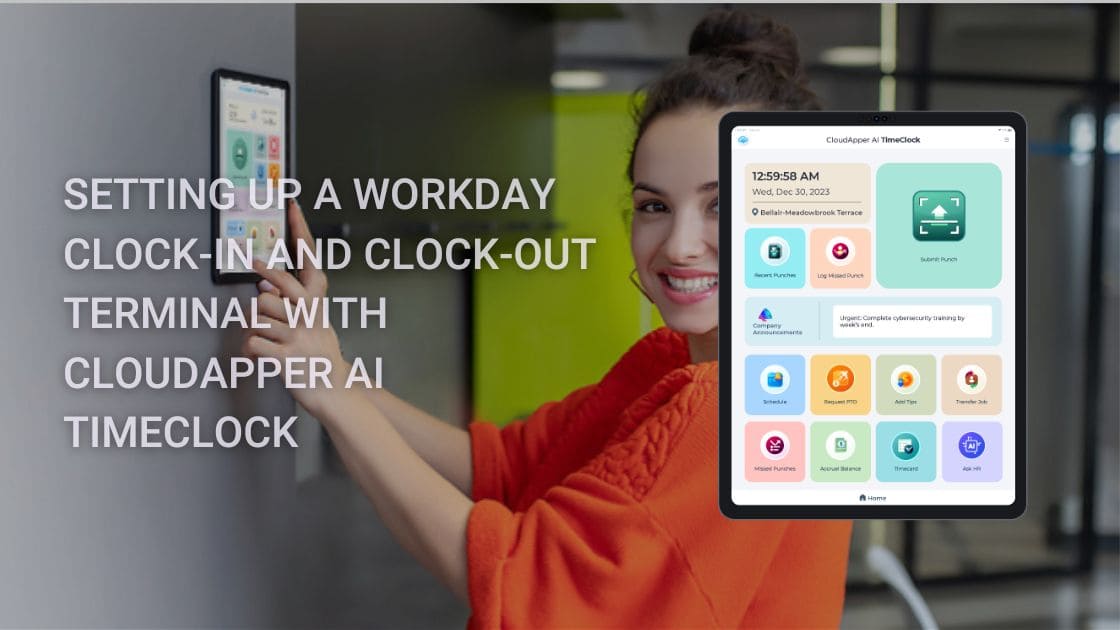
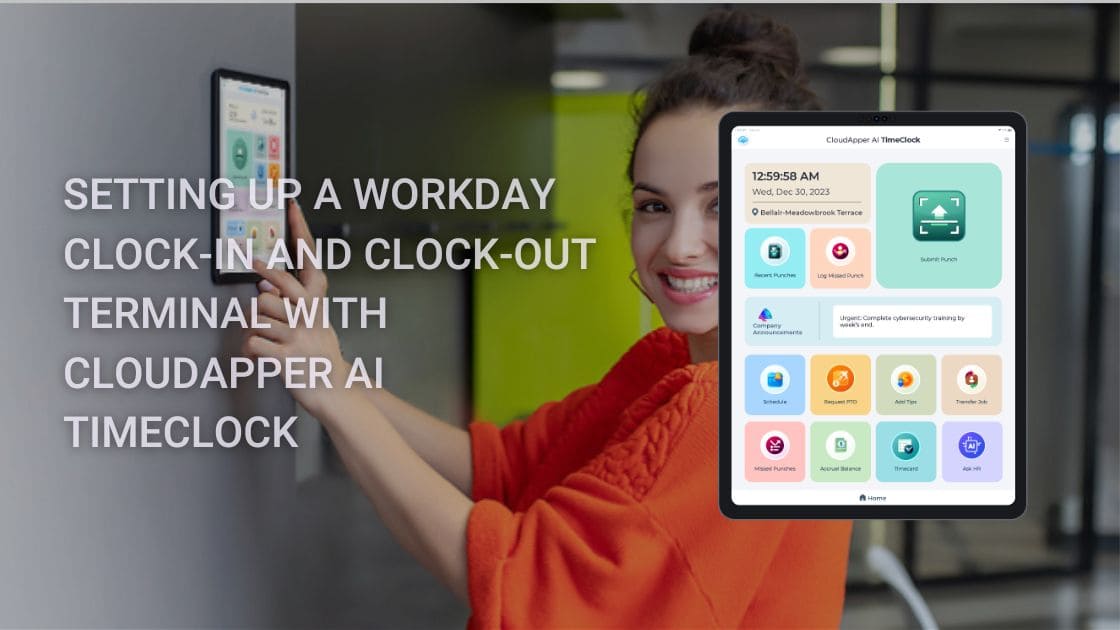
CloudApper AI TimeClock turns everyday tablets, iPads, or even employee smartphones into secure, touchless biometric time clocks that integrate natively with Workday Time Tracking — giving distributed teams the flexibility they need without sacrificing accuracy, security, or compliance.

Why this approach works so well for hybrid/remote/deskless teams:

  • Touchless Face ID anywhere — 99.5%+ accurate biometric verification that works with masks, glasses, PPE, poor lighting, or varying conditions — no shared surfaces, no hygiene risks
  • True mobility — Deploy on tablets at fixed sites, let field workers use their phones, or place devices in break rooms/entrances — no fixed kiosk required
  • Offline-first reliability — Punches are captured locally during connectivity gaps and automatically sync to Workday when back online — critical for remote sites, vehicles, or areas with spotty Wi-Fi
  • Real-time Workday sync — Every punch, job transfer, labor level, shift differential, and accrual update flows bidirectionally via certified APIs — no manual exports, no double-entry
  • Employee self-service built in — Workers view schedules, request PTO, check accruals, and access pay info right from the same device — reducing HR support tickets
  • Strong anti-fraud protection — Biometric liveness detection + optional GPS geofencing stops buddy punching and location spoofing
  • Security & compliance — Encrypted connections, no stored biometric images, role-based access synced with Workday, SOC 2/GDPR/CCPA/HIPAA-ready

CloudApper eliminates the need for expensive proprietary hardware — use standard tablets (often already in your environment) and save 60–80% on upfront and ongoing costs.

Whether you manage nurses in multiple clinics, technicians in the field, retail associates across stores, or hybrid office staff, this integration gives every worker a secure, convenient way to clock in/out while keeping Workday data accurate and up-to-date.

Ready to give your distributed workforce a modern, flexible biometric time clock that actually works with Workday?

Try CloudApper AI TimeClock for Workday — touchless, mobile-first integration built for hybrid, remote, and deskless teams: CloudApper AI TimeClock for Workday

Want the full integration architecture, setup guide, security specs, and proof of how it eliminates buddy punching while supporting remote/hybrid work? Read the original CloudApper article: Integrating Biometric Time Clocks with Workday

Categories
Time Capture

Best Touchless Biometric Time Clock Alternatives for Workday: Affordable Setup Guide & Top Features

Workday time clock solutions are evolving fast—businesses are ditching expensive, hardware-heavy terminals for touchless biometric alternatives that prioritize hygiene, anti-fraud security, scalability, and serious cost savings. With rising focus on accurate payroll, compliance, and remote/hybrid teams, traditional options fall short on flexibility and price.

CloudApper AI TimeClock emerges as a standout affordable biometric time clock for Workday — a modern, tablet-based system using secure facial recognition to deliver seamless, native integration with Workday Time Tracking & Payroll.

Here’s why it’s ranking high among the top Workday time clock alternatives:

  • Touchless & biometric security — AI-powered facial recognition prevents buddy punching and supports contact-free clock-ins/outs for healthier workplaces
  • Massive cost reductions — Save up to 75% by using any iOS/Android tablet instead of costly proprietary hardware
  • Anti-fraud & compliance boosters — Geofencing for location proof, offline punching with auto-sync, job transfers, anomaly detection, and audit-ready data feeds
  • Employee self-service perks — On-device access to schedules, PTO requests, accruals, paystubs — reducing HR admin and boosting engagement
  • Quick, scalable rollout — Easy Workday setup for global teams in manufacturing, healthcare, retail, hospitality, and field services — often live in days, not weeks

As searches for best Workday-integrated time clocks and touchless alternatives surge, solutions like this offer enterprise features at SMB-friendly prices—without the complexity of legacy systems.

Need the practical, step-by-step guide to configure your own Workday touchless time clock terminal using this innovative AI tool?

Read the detailed setup tutorial for CloudApper AI TimeClock with Workday →

Transform your Workday time tracking into something accurate, fraud-resistant, and budget-smart—perfect for today’s workforce.

Check out CloudApper AI TimeClock – The Affordable, Touchless Biometric Time Clock Built for Workday Time Tracking & Payroll →

Slash hardware costs, stop time theft, and streamline payroll accuracy—upgrade to the future of Workday time capture now.

Categories
Time Capture

Top Affordable Biometric Time Clock Alternatives for Workday: Touchless Setup Guide & Savings

Looking for the best biometric time clock for Workday? As businesses prioritize hygiene, fraud prevention, and cost efficiency, traditional hardware-based Workday terminals are losing ground to smarter, more affordable alternatives. High costs, maintenance hassles, and buddy punching issues make many seek better Workday time tracking solutions that deliver accuracy without the premium price tag.

CloudApper AI TimeClock stands out as a leading touchless biometric time clock alternative for Workday — turning any standard iOS or Android tablet into a secure, AI-driven clock-in/clock-out station with native Workday integration.

Why it’s a top choice among affordable Workday time clock alternatives this year:

  • Touchless facial recognition biometrics — Fast, contact-free punches with anti-spoofing for maximum security and hygiene compliance
  • Up to 75% lower costs — Eliminate expensive proprietary hardware; use budget tablets for dramatic savings on deployment and upkeep
  • Robust anti-fraud tools — Geofencing, offline mode with auto-sync, job code capture, and AI-powered anomaly detection to stop time theft and ensure payroll precision
  • Employee self-service hub — View schedules, request PTO, check accruals, and access pay info directly at the device — boosting satisfaction and reducing HR queries
  • Seamless Workday sync — Real-time or batched data flow to Time Tracking & Payroll, audit-ready and compliant for industries like manufacturing, healthcare, retail, and hospitality

Scalable, touchless options like this are reshaping Workday time and attendance — offering enterprise-grade features at a fraction of legacy system prices.

Want the detailed, step-by-step instructions to set up your own Workday-integrated touchless time clock quickly and effectively?

Check out the complete 2026 setup guide for CloudApper AI TimeClock with Workday →

Ready to modernize your Workday time tracking with a cost-effective, biometric powerhouse?

Explore CloudApper AI TimeClock – Affordable, Touchless Biometric Solution for Workday Time Tracking & Payroll →

Cut hardware expenses, eliminate errors, and keep your workforce compliant — upgrade to smarter time capture that delivers real ROI.